Protecting your mobile device while travelling is more important than ever, especially with rising cyber threats, data theft attempts, and unsecured public networks abroad. When you travel internationally, your smartphone isn’t just a communication tool; it becomes your digital identity, payment method, navigation system, and access point for essential travel documents.
Since your phone stores sensitive data like banking apps, boarding passes, OTPs, passwords, and personal information, it becomes a prime target for hackers and cybercriminals, especially in unfamiliar or high-traffic locations.
This updated guide shares smart, practical strategies to secure your mobile device while travelling, helping you avoid data breaches, online scams, and device theft, and ensuring a safer, hassle-free travel experience.
Protect Your Mobile Device Before You Travel Abroad
Proper preparation forms the foundation of mobile device security during international travel.
1. Start by verifying whether your travel insurance policy covers electronic devices, including theft, damage, and loss scenarios.
2. Enable “Find My Device” on both Android and iOS platforms, then test the functionality to ensure it works correctly.
3. Create backups of all critical data using both cloud storage services and offline methods, such as external drives.
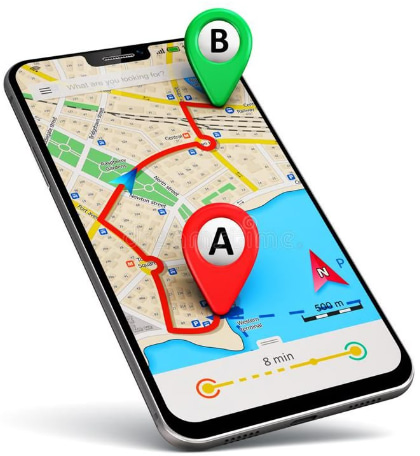
4. Download essential offline applications, including maps, translation tools, and travel guides that function without internet connectivity.
5. Register your device’s IMEI number with your carrier and local authorities for easier tracking and reporting if stolen abroad.
Finally, confirm your phone is unlocked for international SIM card compatibility to avoid connectivity issues.
Use Strong Locks And Multi-Layer Security
A multi-layered security approach limits unauthorised access to your device. Stronger passcodes, biometrics, app locks, and remote controls give you more protection. This is key to keeping your data safe while you’re on the go.
- Use Dual-Layer Locks: Set both a biometric lock (fingerprint or face ID) and a strong numeric passcode for extra protection.
- Secure Sensitive Apps: Install app lockers to safeguard chats, photos, and banking apps with additional passwords or biometrics.
- Enable Remote Control: Activate remote lock and wipe options via iCloud (iOS) or Find My Device (Android) for emergencies.
- Hide Lock Screen Notifications: Disable previews of messages and alerts on the lock screen to prevent information leaks in public places.
These precautions create barriers that protect your device. When you combine different layers of security, they work together. Even if one layer is overlooked or compromised, the others still help.
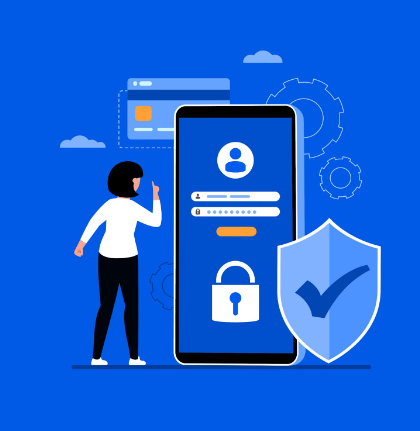
Activate remote lock and wipe capabilities through iCloud for iOS devices or Google’s Find My Device for Android systems, allowing you to secure your data from anywhere in the world.
Disable lock screen notifications to prevent sensitive information from displaying when your device is locked, protecting your privacy in crowded travel environments.
Avoid Risks on Public Wi-Fi
Public Wi-Fi networks in airports, hotels, and cafés have serious security risks. Cybercriminals can exploit these and steal your personal information and data.
Before you travel, install a trusted VPN. It encrypts your internet traffic. This protects sensitive activities, such as online banking and email.
Turn off automatic Wi-Fi connections and Bluetooth visibility. This helps stop your device from connecting to harmful networks without your consent.
Don’t enter passwords, use banking apps, or make financial transactions on public networks that aren’t secure.
Whenever possible, use your mobile data. You can get a portable hotspot for secure internet access on the go.
Secure Your Data With Essential Tools
Modern travellers need multiple layers of digital protection to safeguard their devices and data during international trips.
| Security Feature | Function | Travel Benefit |
|---|---|---|
| Two-Factor Authentication (2FA) | Adds OTP or biometric check during login | Protects accounts even if passwords are compromised abroad |
| Cloud Backup | Automatically backs up photos, files, and messages | Ensures no data loss if the device is stolen or damaged |
| Remote Wipe & Lock | Enables device erasure from any location | Prevents sensitive data theft when the device is unrecoverable |
| App Lock / Secure Folder | Lock individual applications with separate passwords | Provides extra privacy if someone accesses an unlocked device |
| Travel Insurance for Devices | Covers loss, theft, and accidental damage | Helps recover the financial costs of device replacement during travel |
When used together, these five tools offer strong and flexible protection against common travel risks.
They help safeguard your devices and data in various situations, giving you peace of mind while traveling abroad.
Physical Safety For Your Phone Abroad
Physical device protection requires strategic awareness and practical accessories for travel security.
1. Invest in anti-theft bags with lockable zippers and consider phone leashes or security cords that attach your device to your clothing or bag.
2. Always carry your smartphone in front pockets or concealed compartments rather than back pockets or easily accessible locations.
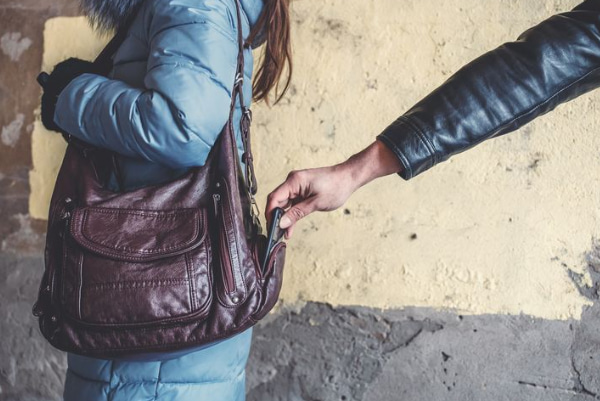
3. Exercise heightened caution when using your device openly in tourist-heavy areas known for pickpocketing and theft.
3. Protect your device from environmental hazards by using water-resistant and dust-resistant cases, especially when visiting tropical destinations or beach locations.
4. Maintain paper copies of essential contact information, flight details, and emergency numbers as backup in case your device becomes unavailable.
What to Do if Your Phone Is Lost or Stolen Abroad?
Firstly, don’t panic; try to stay calm and take the following actions to help you recover your device and protect your data.
Use another device to access Find My iPhone or Android Device Manager to locate, lock, or remotely erase your smartphone before unauthorised users access your information.
File an official theft report with the local police authorities and obtain a copy of the First Information Report (FIR) for insurance claims and legal documentation purposes.
Contact your country’s embassy or consulate if you’ve lost both your phone and identification documents, as they can provide crucial assistance with replacement documentation.
Notify your travel insurance provider immediately if your policy covers electronic device theft or loss.
Contact your mobile carrier to suspend service and block your SIM card. Then, notify your banks and financial institutions to secure your accounts and prevent fraudulent transactions.
SIM, Roaming and International Connectivity
Smart connectivity choices protect both your device security and travel budget while maintaining reliable communication abroad.
Your connectivity needs may change based on whether you travel solo or in a group. Planning can save you time and money.
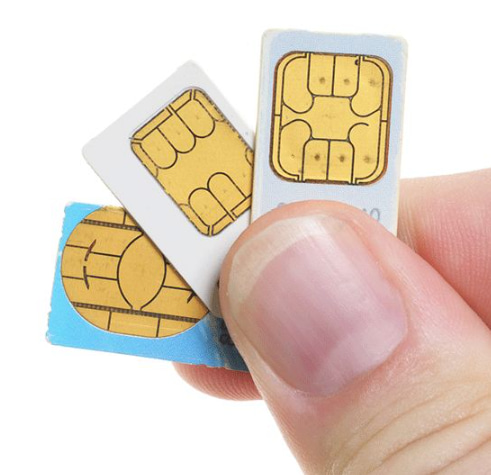
Purchase local SIM cards or international eSIM plans that offer better rates and reduce dependency on potentially expensive roaming services.
Disable automatic data roaming unless specifically needed to prevent unexpected charges that can reach hundreds of dollars.
Avoid public charging stations at airports and hotels that may contain malware or data-stealing hardware; instead, use personal power banks or USB data blockers that prevent data transfer while charging.
Research and save local emergency contact numbers in your device’s memory, ensuring you can access help even if internet-dependent applications become unavailable during emergencies.
Consider Mobile Insurance or Travel Gadget Coverage
It’s smart to get mobile insurance or travel gadget cover to protect against theft, loss, or damage on the go.
Always check the policy limits, claim rules, credit card perks, and third-party options, such as AppleCare+ or Samsung Care+, before you travel.
- Travel insurance covers your devices against theft, damage, or loss during international trips.
- Check mobile insurance policies. Look at claim limits and coverage for theft, damage, water exposure, or loss.
- Know what you need for your claim. This includes police reports, proof of sale, and evidence of damage. This will help ensure a smooth claim process.
- Some credit cards give automatic phone insurance when you buy travel tickets. Check your card benefits to see if yours does.
- Consider using third-party options, such as AppleCare+, Samsung Care+, or travel gadget insurance, to protect your device. They can give you better coverage for your devices when you’re abroad.
Maintain a Secure Digital Backup Plan
Before your trip, ensure your important data, like contacts, photos, passwords, and travel documents, is backed up securely. Use trusted cloud services such as iCloud, Google Drive, or OneDrive, and add extra protection with multi-factor authentication.
For extra safety, keep an encrypted offline backup on a USB drive or laptop, especially for sensitive files. Finally, test restoring your backup before traveling to confirm everything works. A secure backup plan helps you stay prepared and protects your data if your phone is lost, stolen, or damaged.
Related Read:
Conclusion: Protect Your Mobile Device While Traveling Confidently
International travel comes with unique challenges for mobile device security and privacy, but proper preparation can prevent data breaches and keep your information safe. By enabling strong security settings, using physical protection measures, and securing travel insurance, you can explore the world confidently while keeping your digital life secure.
Whether you’re hiking in Southeast Asia, working in Europe, or relaxing in the tropics, your mobile device stays a reliable travel companion rather than a vulnerability. Smart protection strategies turn your phone into a safe, trusted travel buddy.
FAQ
Some travel insurance covers mobile phones under baggage protection. Check your policy carefully for coverage limits, exclusions, and claim procedures before traveling.
Use a local SIM or international eSIM with a trusted VPN. This ensures secure internet access and protects your data from hackers or misuse abroad.
Report the theft to local police, inform your mobile carrier to block the SIM, and contact your travel insurer immediately to begin the claim process.
Yes, mobile antivirus apps work globally if updated. They protect against malware, phishing, and insecure networks while you travel in any country.
Consider separate mobile insurance if your phone is expensive or holds sensitive data. It offers better coverage for theft, loss, or accidental damage abroad.